Getting started
From nothing installed to a Forge set running in your project.
Requirements: Windows 10 or 11, 64-bit, and Unreal Engine 5.8.
Prefer to watch first? The same five steps, done once end to end:
Get the hub
Download from kovati.dev/download, or take the assets directly from the latest release.
AutomationForge-Setup.exe— the installer. Per-user, no administrator prompt. Installs the hub and theforgecommand line, addsforgetoPATH, and can start the hub with Windows.- Portable, if you would rather not install anything:
AutomationForge-Hub-win-x64.zipandforge-win-x64.zipseparately, plusSHA256SUMS.txtto check them.
Asset names never carry a version, so those links always point at the newest release.
The installer is unsigned until the code-signing certificate arrives. Windows will ask you to confirm the first run.
Create an account and sign in
Nothing installs without one. In the hub, top right: Sign in. It opens app.kovati.dev in your browser — create an account there with Google, GitHub, or email and password — and say Yes, connect it when asked.
No password ever passes through the desktop. Accounts explains exactly how that works and what the hub and CLI show once you are in.
From the command line instead:
forge loginAdd a Forge set
In the hub's Plugins tab, pick a set — say, MotionForge — and press Add & install. Free plugins are added to your account and installed in the same click; a paid member of a set is named and left out until you buy it.
forge install motionforgeforge list shows every set, what is on your account, and what is installed.
forge engines shows which Unreal installations the hub found.
Open Unreal
Open your project, or a fresh 5.8 one. Automation Forge is in the toolbar, after Play — that menu comes with every engine install and is on in every project.
Under Installed, tick the plugins this project should use. The editor applies them when it restarts.
forge enable MotionForge --project C:\Games\MyGameEach set's panels are then in the Tools menu, grouped under an Automation Forge heading:
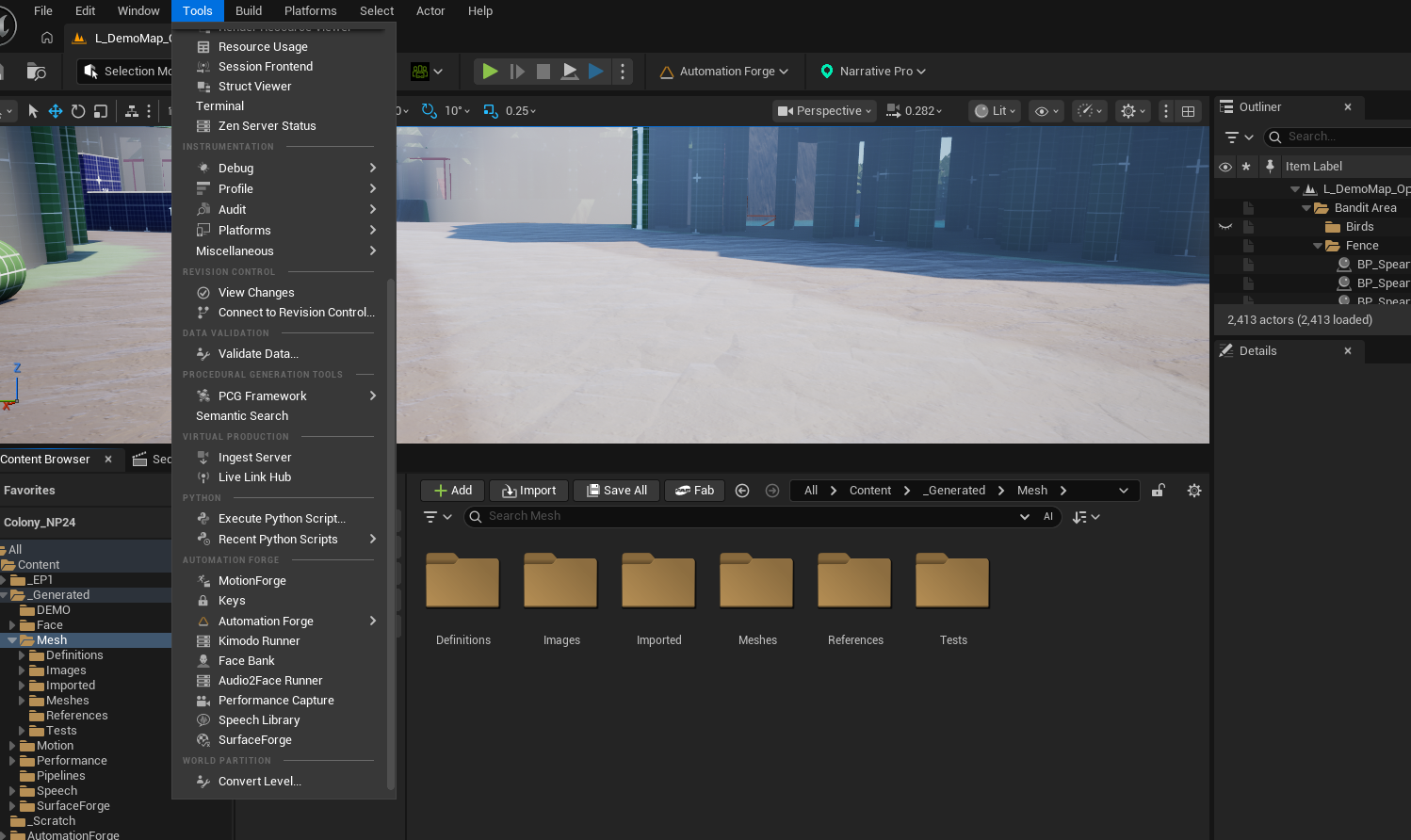
The Content Browser in that shot shows the other half of the convention:
generated work lands under _Generated, one folder per set, and each set
subdivides by kind. See
generated content is organised.
Know what you are running
The hub checks for updates every four hours and shows a Windows notification
when one is ready; forge update does the same from the command line.
What's new, beside a plugin's Update button, lists every release since the version you have — skipped ones included — before you take it.
If a set needs a key or a local runner
Some sets need an API key (a hosted voice or motion provider) or a local model runner (a Docker container, or a GPU rented by the hour).
The hub's Keys and Runners drawers cover both. Keys go straight into the Windows Credential Manager; a runner can be started or stopped there before you open the editor — which is usually what you want, since an editor that opens against a stopped runner just reports a dead route.
There is no "hub copy" and "editor copy" of a key. The two surfaces read and write the same vault entries, and each says so:
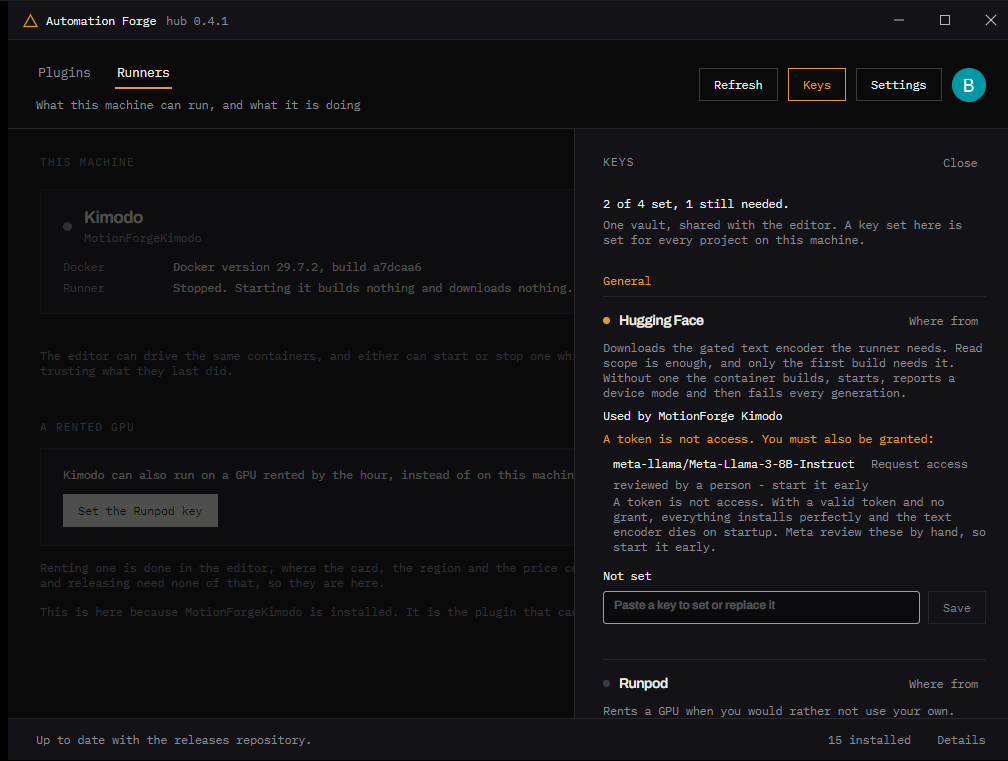
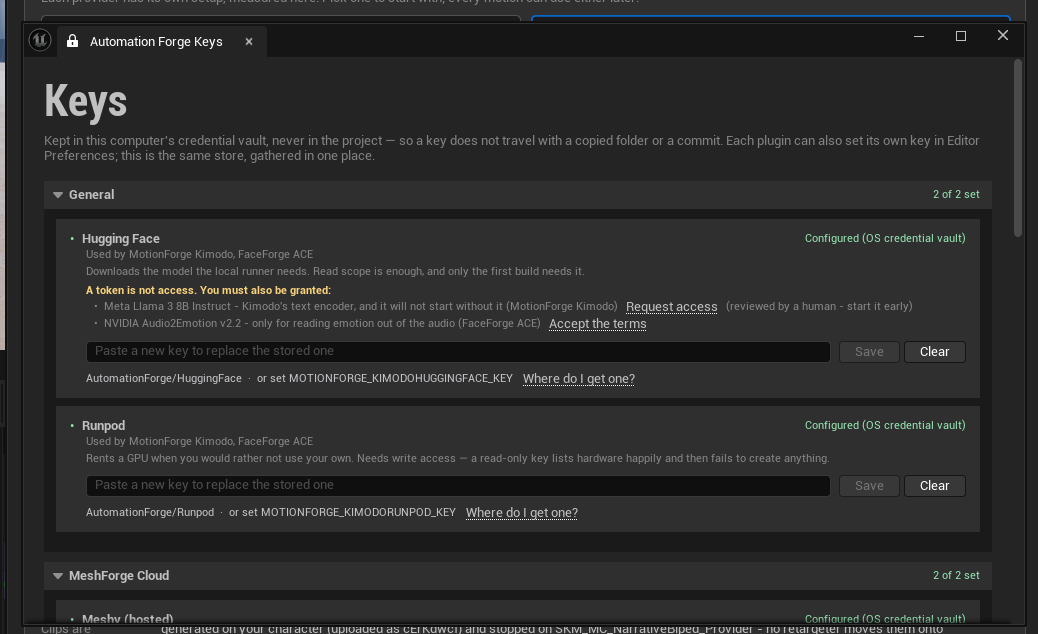
Both panels carry the same warning, because it is the mistake that costs most: a token is not access. Meta review the Llama 3 grant by hand, so request it on the day you install, not on the day you first generate.
See keys and runners.