Concepts
Definitions, takes, staleness, and where generated assets land.
The three assets
MeshForge adds three asset types, all made the same way: Content Browser ▸ right-click ▸ Automation Forge ▸ MeshForge.
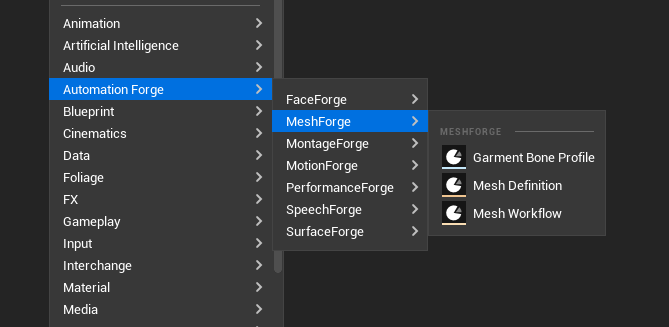
| Asset | What it is |
|---|---|
| Mesh Definition | The unit of work — one thing you are making |
| Mesh Workflow | A definition's stages, pipelines and post chain, saved to start from. See workflows |
| Garment Bone Profile | Which body bones a garment may follow. Only useful with MeshForgeGarment |
Garment Bone Profile appears here even though it belongs to a different plugin. The branch is assembled from whatever is installed, so a project without the garment plugin simply sees two entries — and a project with a plugin of its own sees that plugin's assets alongside.
The asset editor
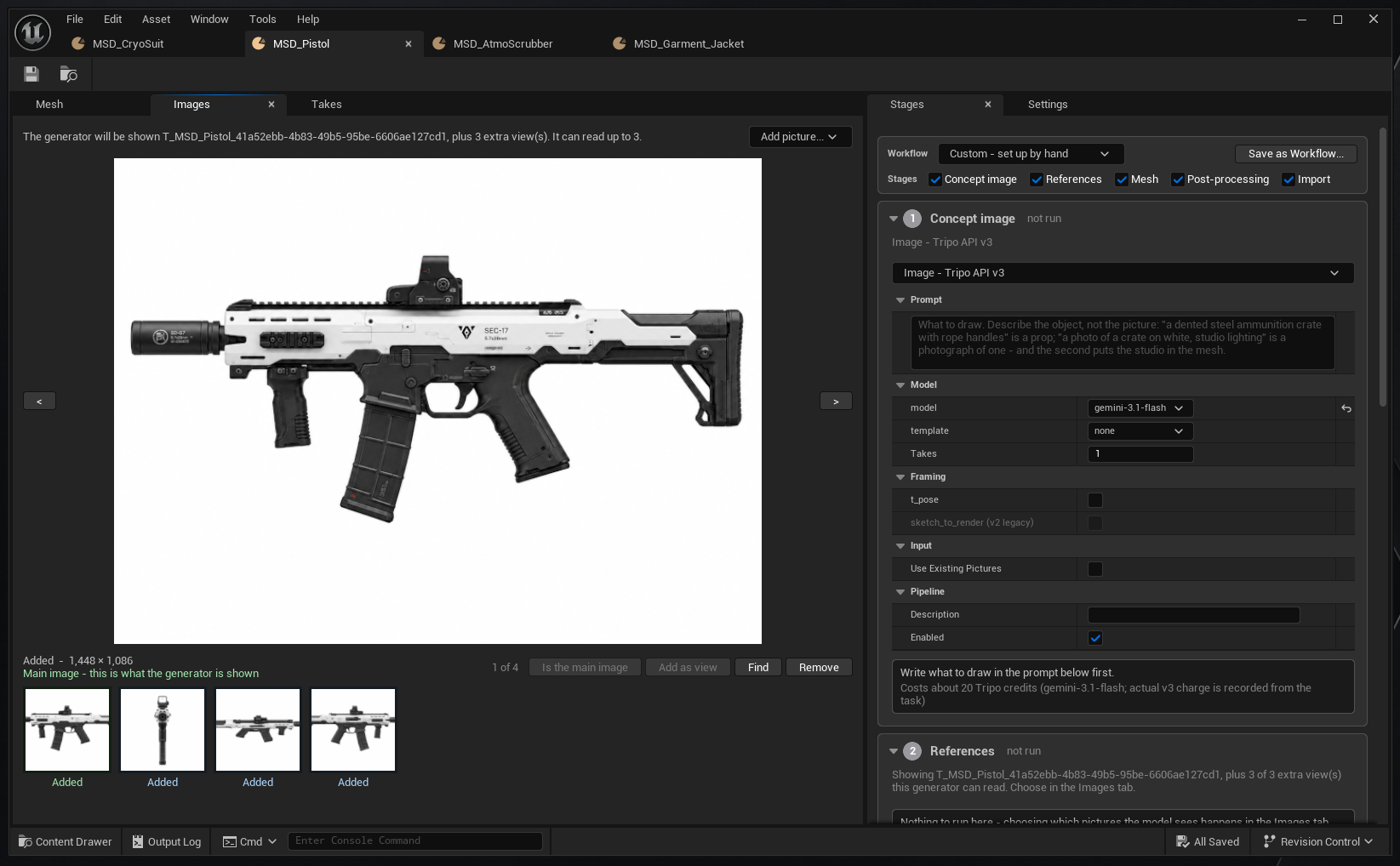
A Mesh Definition opens with five tabs:
| Tab | What it is |
|---|---|
| Stages | The five stages as collapsible boxes, numbered among the stages in use, each with a status badge |
| Settings | The whole asset as a details panel, in pipeline order |
| Images | Every generated picture |
| Mesh | The viewer — A/B compare, skinned takes beside static ones |
| Takes | The library, read from disk |
A generator's pictures sit at the top of its settings; a step's Advanced actions sit under the settings they work on.
Takes are read from disk, not from the definition
The Takes tab reads the library from the provenance vault on disk rather than from the definition's candidate list.
That distinction matters: a take removed from the list can still be re-imported. The list is a view; the vault is the record.
The originating vendor task is carried separately from "what ran last", so a post step no longer erases where a mesh came from.
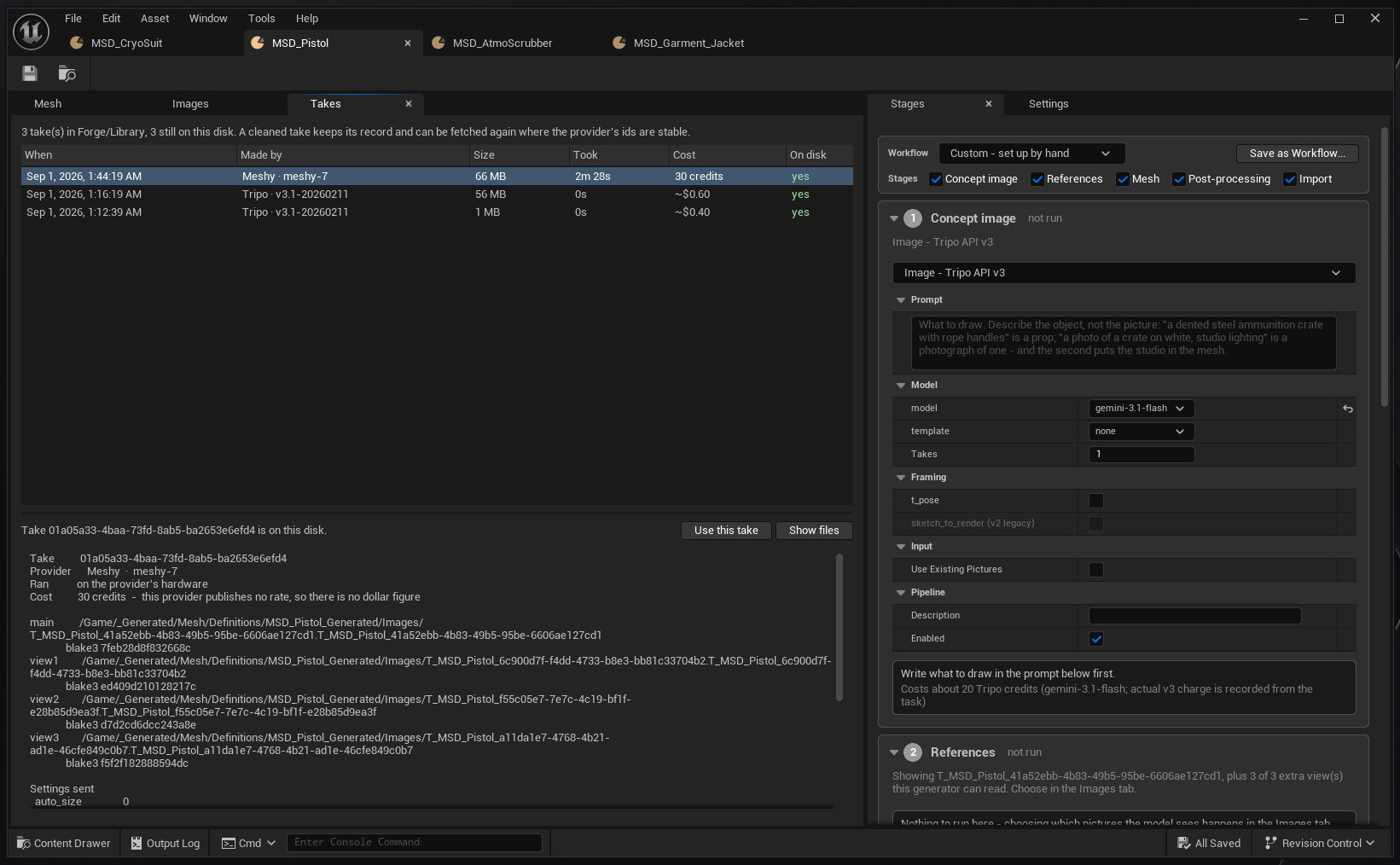
"This provider publishes no rate, so there is no dollar figure." One vendor bills in credits and one in dollars, and the record says which rather than inventing a conversion. A cost you cannot state honestly is better left in the unit you were actually charged in.
Staleness
The five stages form a hash chain. Editing an early stage marks everything after it stale — and does not discard what it made.
MeshForge.VerifyStageHashes checks the chain if you suspect it.
The viewer
An advanced preview scene with A/B compare and a normalising Align.
- Skinned takes are shown beside static ones, with bone count and triangle/vertex counts read from the authored data.
- A Floor checkbox, off by default, remembered per user.
- Add-ons can put a control in its bar and draw meshes beside the subject — the garment plugin's Character is the first.
Both sides of the comparison come from one picker, and it holds everything the definition has ever imported:
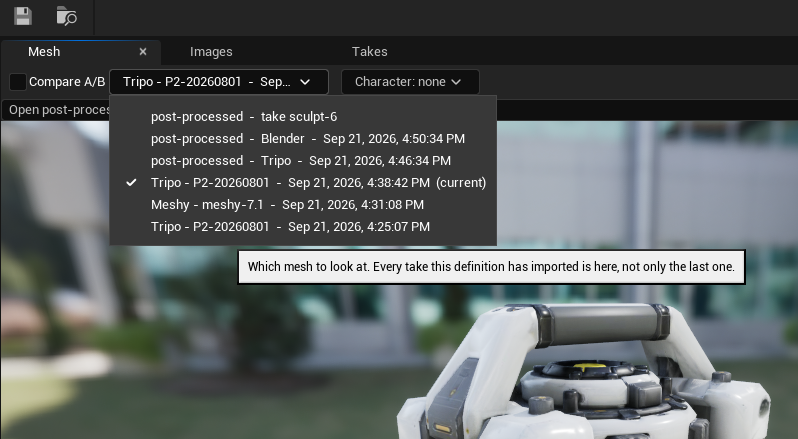
"Every take this definition has imported is here, not only the last one." That is what makes the comparison below possible at all: nothing is replaced when a new result arrives, so any two points in a definition's history can be put side by side — including a raw generation against what post-processing later did to it.
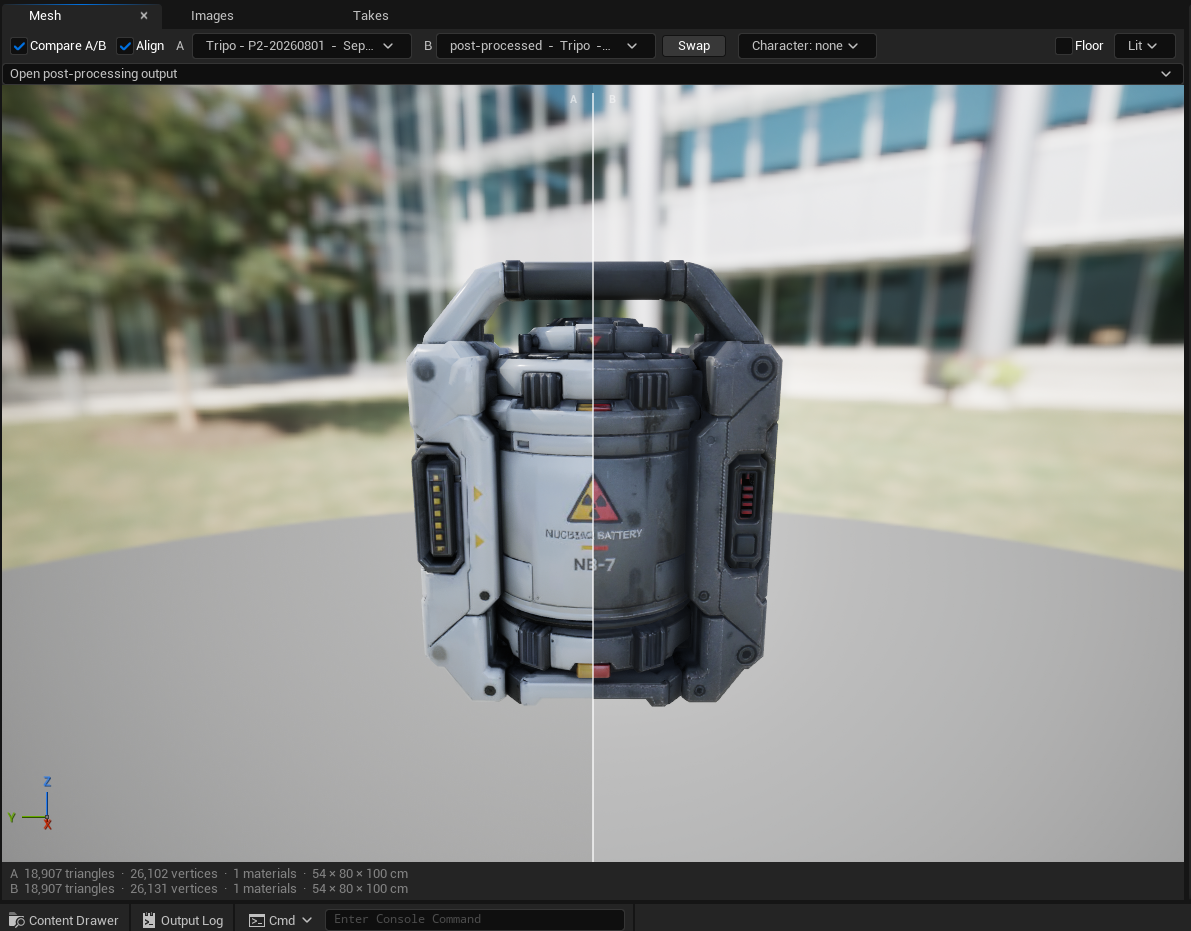
Identical triangles and different vertices is the signature of a UV edit. Splitting a UV island duplicates vertices along the seam without touching the surface, so a step that claims to have only retextured something should move the second number and not the first. If the triangle count moved too, the step did more than it said.
Anything drawn beside the mesh switches the viewer to true space — nothing centred or scaled — and Align is greyed with the reason. Comparing a garment against a body is meaningless if one of them has been normalised.
Where things land
Under the output root (default /Game/_Generated/Mesh):
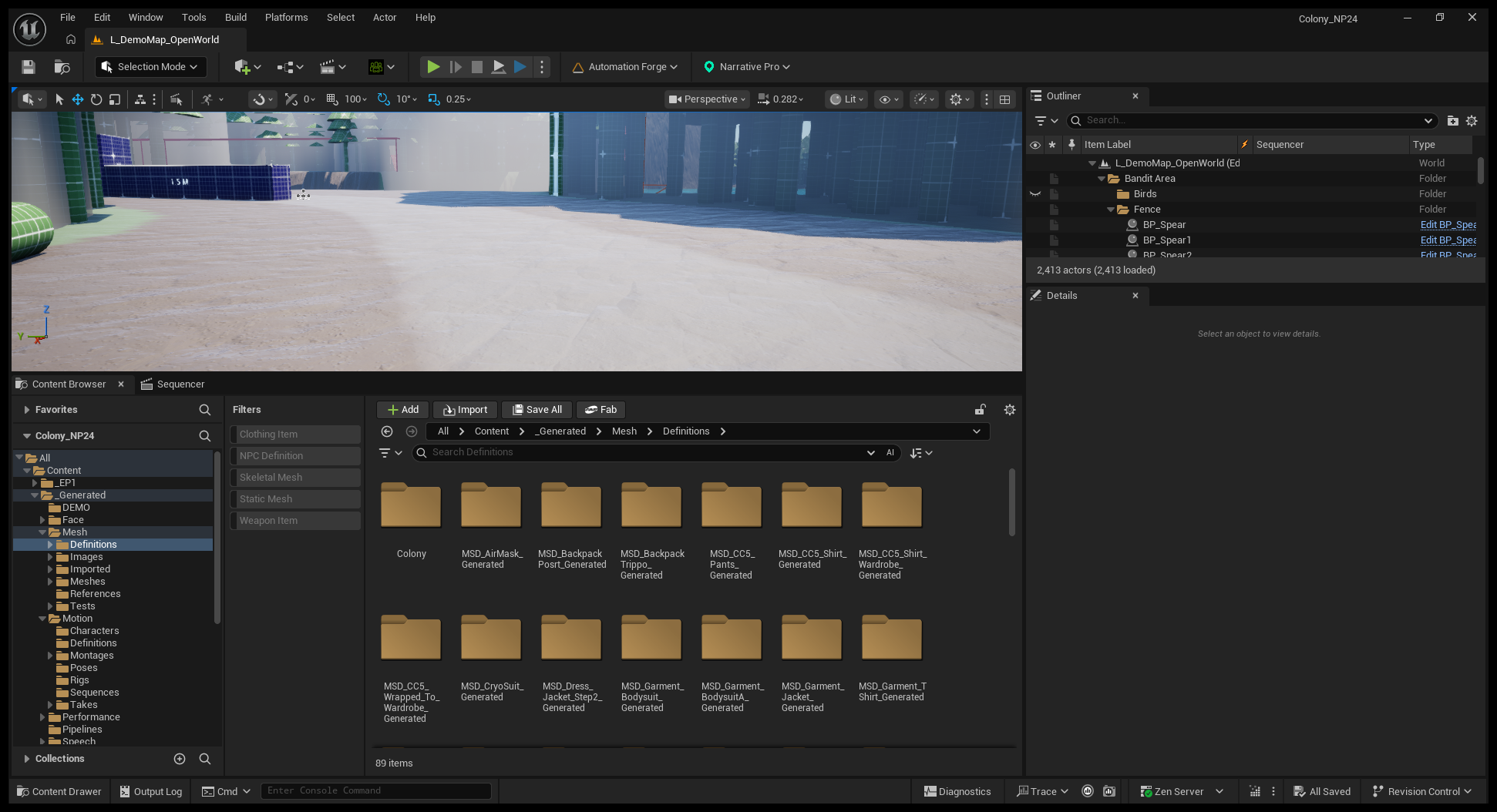
Every generated picture becomes a UTexture2D with its original pixels
kept in the texture source, so a reference image is re-usable rather than a
compressed approximation of itself.
The one exception: a provider-free import of a file already on disk
(MeshForge.ImportFile) writes to <root>/Meshes.
Generated content must be organised by kind. The per-definition, per-take folder layout is not tidiness — it is what makes a take deletable, a definition movable, and a generated folder distinguishable from an authored one at a glance.
Content Browser tiles
A definition's tile shows its newest mesh — skinned or static — or its main image, stored in the asset so it survives a restart.
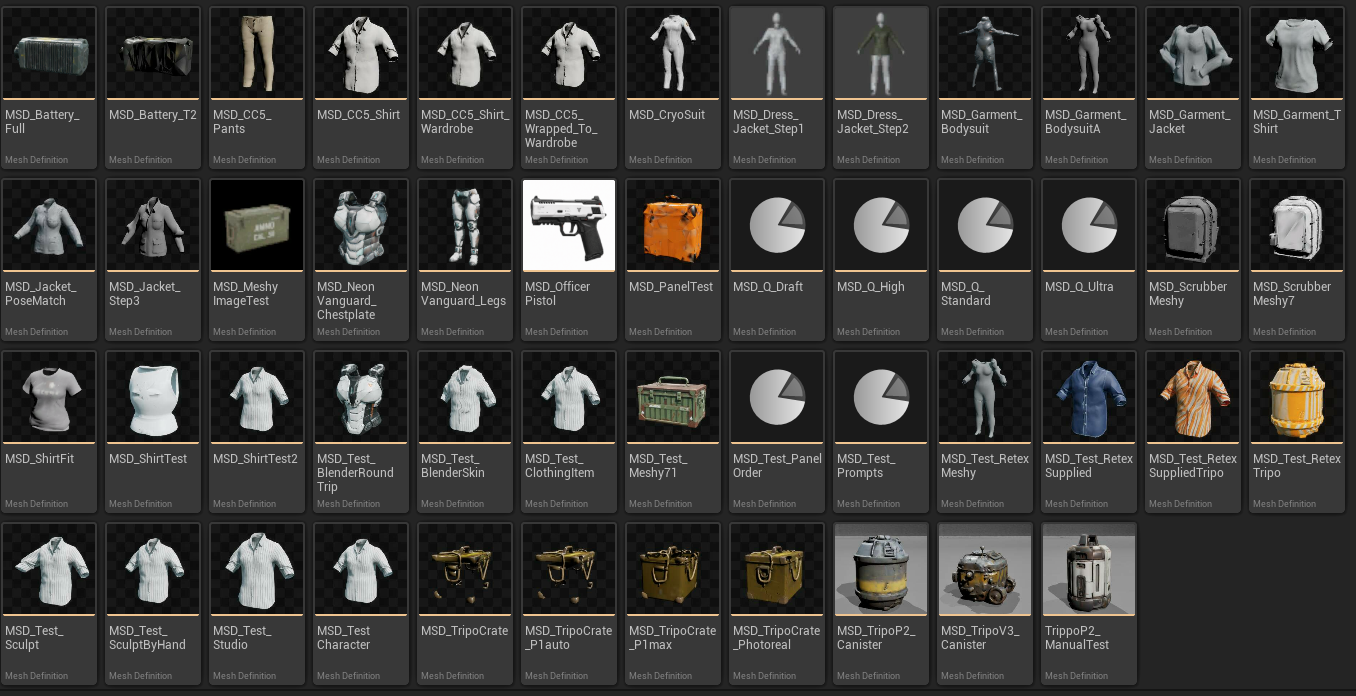
Custom thumbnails in Unreal can save empty. If a tile goes blank on an
asset you know has a mesh, rebuild rather than assuming the definition
broke: MeshForge.RebuildThumbnails [folder].
MeshForge.RebuildThumbnails [folder] regenerates them.
Custom thumbnails have a trap in Unreal generally: they can save empty. If a tile goes blank, rebuild rather than assuming the asset is broken.
Settings
| Where | What |
|---|---|
| Project Settings ▸ Plugins ▸ MeshForge | Default provider and model, default workflow, output root, staging directory, control and finish defaults, Nanite threshold, poll interval, job timeout, auto-import of the first success. Committed |
| Editor Preferences ▸ Automation Forge ▸ MeshForge | Per-user provider override, Blender executable, preview floor. Never committed |
| The Keys page | Provider keys. There is no key field in MeshForge's own preferences |
Console: MeshForge.ImportFile, MeshForge.ListProviders,
MeshForge.TestConnection, MeshForge.RebuildThumbnails,
MeshForge.VerifyStageHashes.
Typed, declarative pipelines
A vendor's real settings are reflected properties, so the details panel and an agent's option list come from the same reflection — not two lists that can disagree.
Provider-wide extras carry their own type, allowed values, default, tooltip and which quality steps they apply to.
Requirements
Editor-only, UE 5.8. Depends on the engine's own GLTFExporter and
InterchangeEditor plugins.
Generated meshes lose small print. Text, fine engraving and thin lettering rarely survive generation at any quality setting. If a prop needs legible text, plan to add it as a material rather than expecting geometry.