MotionForge
Describe a motion, generate it, review the takes, and import a game-ready clip onto your skeleton.
Describe a motion in a prompt, generate it through a pluggable provider, and
get a game-ready UAnimSequence on the skeleton you chose. One pipeline end
to end: pair a character, submit, poll, review, download, import.
| Plugin | Role | Licence | Version |
|---|---|---|---|
| MotionForge source | coreThe subsystem. Install this one. | Open | 0.4.0 |
| MotionForgeKimodo | providerA route to a generator — a vendor API, or a container on your own GPU. | Free | 0.5.0 |
| MotionForgeKimodoToolset source | toolsetThe same subsystem as typed MCP tools, for an agent. Adds nothing of its own. | Open | 0.3.2 |
| MotionForgeQuality | addonOptional capability on top of the core. | Free | 0.1.2 |
| MotionForgeQualityToolset source | toolsetThe same subsystem as typed MCP tools, for an agent. Adds nothing of its own. | Open | 0.1.2 |
| MotionForgeToolset source | toolsetThe same subsystem as typed MCP tools, for an agent. Adds nothing of its own. | Open | 0.3.0 |
| MotionForgeUthana source | providerA route to a generator — a vendor API, or a container on your own GPU. | Open | 0.2.0 |
What it deliberately is not
MotionForge is standalone on purpose. No gameplay framework dependency, no montages, no animation curves, no notifies, and no knowledge of which provider produced a clip.
Those concerns belong to plugins built on top:
- MontageForge makes a clip playable — slots, notifies, blends.
- MotionForgeQuality measures defects in a clip, whatever made it.
- The provider add-ons do the generating.
Removing any add-on changes nothing about the core.
The loop
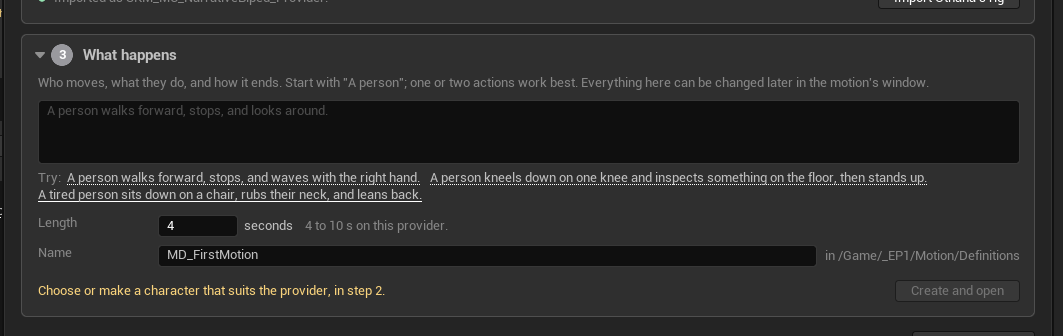
It starts on Get started — three steps, and "nothing is generated or spent on this page":
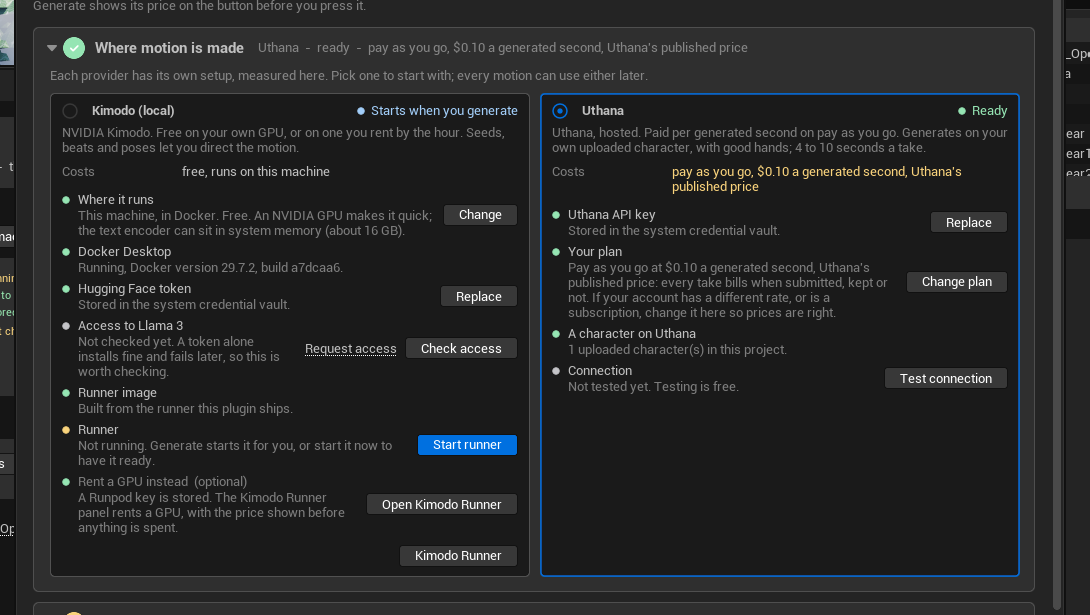
Pair a character
A Motion Character points at a skeletal mesh and records how each provider should reach it — whether it needs a provider rig, and whether a retargeter exists. See retargeting.
Write a definition
A Motion Definition is the recipe: the prompt, the character, the provider, and that provider's own settings. It is a data asset, committed, re-runnable.
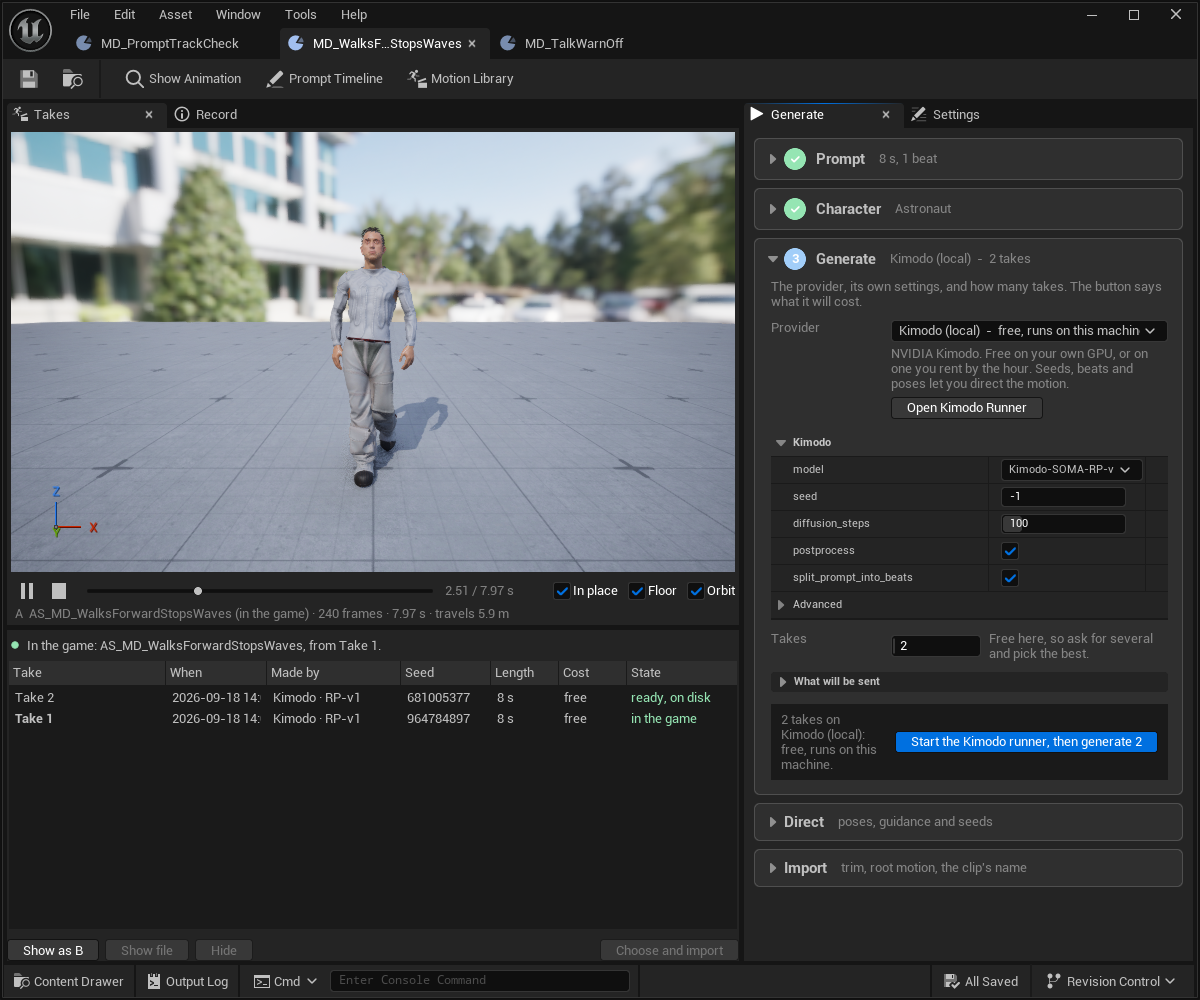
Generate, and stop for review
Every Generate a person presses stops for review. Unattended generation exists, but only for pipelines and agents that asked for it explicitly.
Watch the takes
Takes are numbered across generations. Play any take on its own character before choosing it — on a stage with floor / in place / orbit, and Show as B to run a second take on the same clock.
Choose and import
One step. It names the montages and sequences that already use the clip before replacing it.
What the price means
One resolver sits behind every price, readiness check, "what will be sent" block, confirmation and submission — so the price shown is the price of the request that gets sent.
- Anything that bills asks first, with the price. Generate, the library's Generate and Import, the timeline's Generate.
- Billing belongs to each provider: free, per generated second, per downloaded second, or per hour.
- The download estimate prices fetching only — which is free on pay-as-you-go and on a local runner.
- A price nobody entered says so. A provider's published list price is labelled as such until you set your own rate.
One gap, honestly: the library's selection price and the definition window's button label do not yet carry that "published price" note, though the cost line, the confirmations, the timeline and Get started all do. Fixed on the development branch; it ships with the next release.
Takes are not deleted
Takes are hidden rather than deleted, and marked as an older recipe when the poses change. Generating new takes does not take the clip already in the game out of the record.
That is keeping options applied to one concrete thing: the take you rejected in August is still there in October when it turns out to have been right.
Provenance is written onto the clip
Every imported clip carries a Motion Take Provenance record as
UAssetUserData — provider, model, runner, prompt and beats, seed,
retarget and normalisation flags, motion id, take label, and the exact
provider settings that were sent.
It also carries bLooksMisRated, a self-check comparing frames ÷ duration
against the provider's native rate, because a clip imported at the wrong frame
rate looks almost right and costs a day to diagnose.
ReportProvenance sweeps the whole library.
Where to go next
Concepts
Characters, definitions, takes and beats.
Providers
Kimodo on your own GPU, Uthana hosted — cost, limits and what each gives you.
Retargeting
Direct or through an IK Retargeter, and how to tell which you need.
Quality
Measuring what is wrong with a clip, and the correction that is parked.
Sequencer
The prompt track and the constraint track.
The toolset
What an agent can do here.