The hub
The desktop application that installs plugins, holds keys, and runs runners.
The hub is a resident Windows application: an icon by the clock, a check every four hours across every engine and project it has installed into, a notification when something new appears, and a self-replacement through the installer when a newer hub is released.
Two tabs and three drawers.
Plugins
The catalogue: sets, one action per plugin, an engine picker, update counts. It relaunches itself headless and elevated for engine installs, so you approve once rather than per plugin.
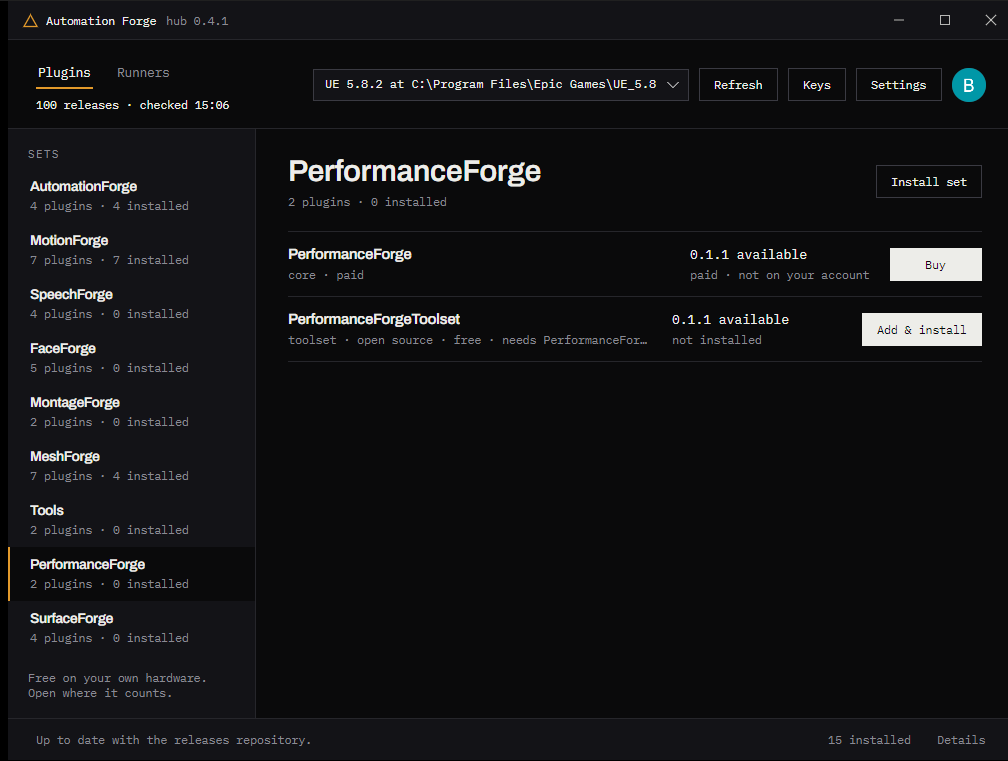
The engine picker at the top is what an install targets. Refresh, Keys and
Settings sit beside it, and the footer reports what the hub last checked
against the releases repository.
What's new, beside a plugin's Update button, lists every release since
the version you have — skipped ones included, with each one's notes, paid
plugins too. The notes travel inside the manifest, read from each plugin's
CHANGELOG.md, so the window works offline from the cached catalogue.
Runners
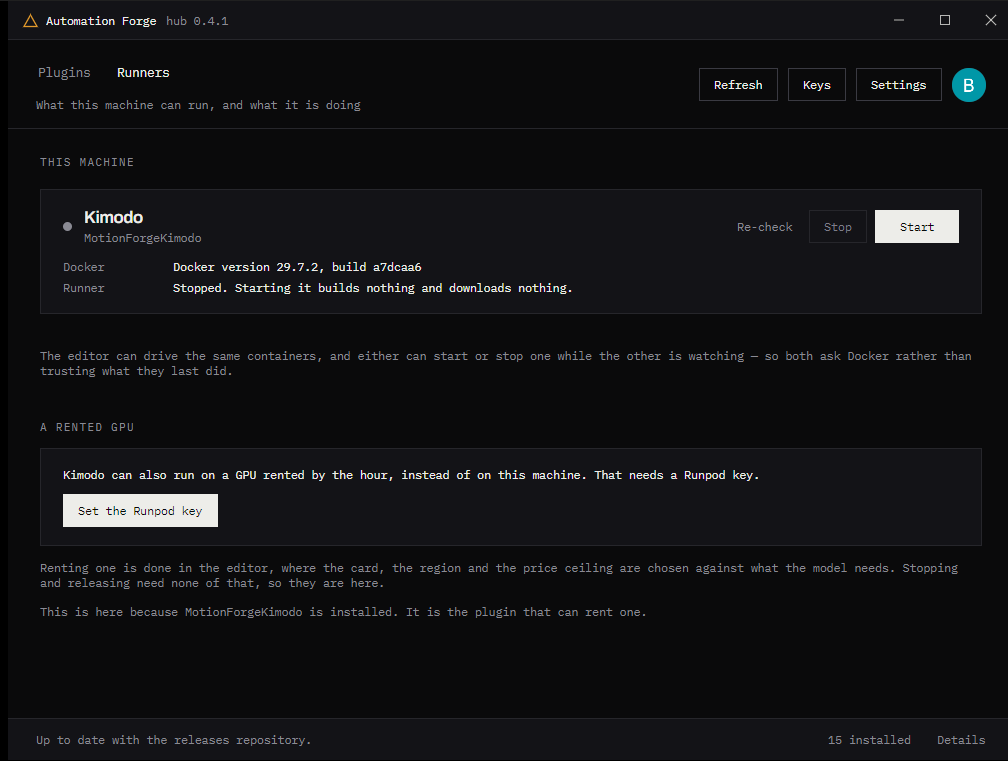
What this machine can run, and whether it is running.
Today that is a Docker container and a GPU rented by the hour, both belonging to MotionForge Kimodo. Docker state and container state are read from Docker itself, and Start and Stop act on it.
The point of putting this in the hub rather than the editor: starting a runner is something you do before opening an editor, or after one has failed to start. An editor that opens against a stopped container can only report a dead route.
Keys, Settings and the account
Three drawers over one scrim — opening any closes the others.
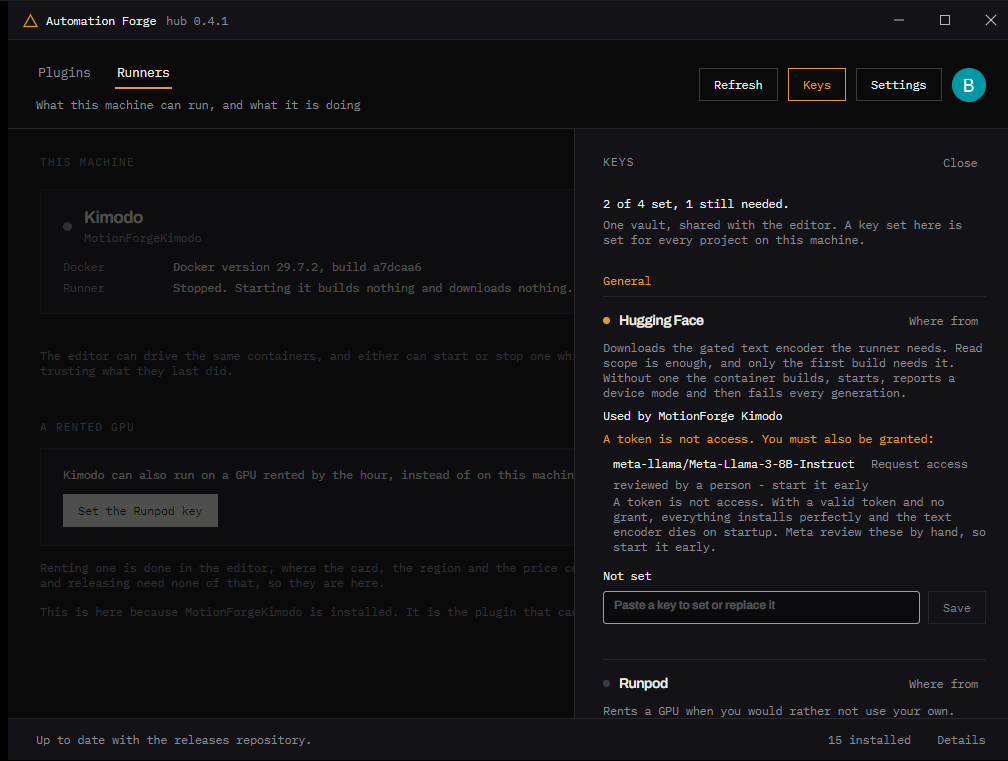
Keys reaches the Windows Credential Manager directly, at exactly the entries the plugins use, so a key set in either place is set for both. See keys and runners.
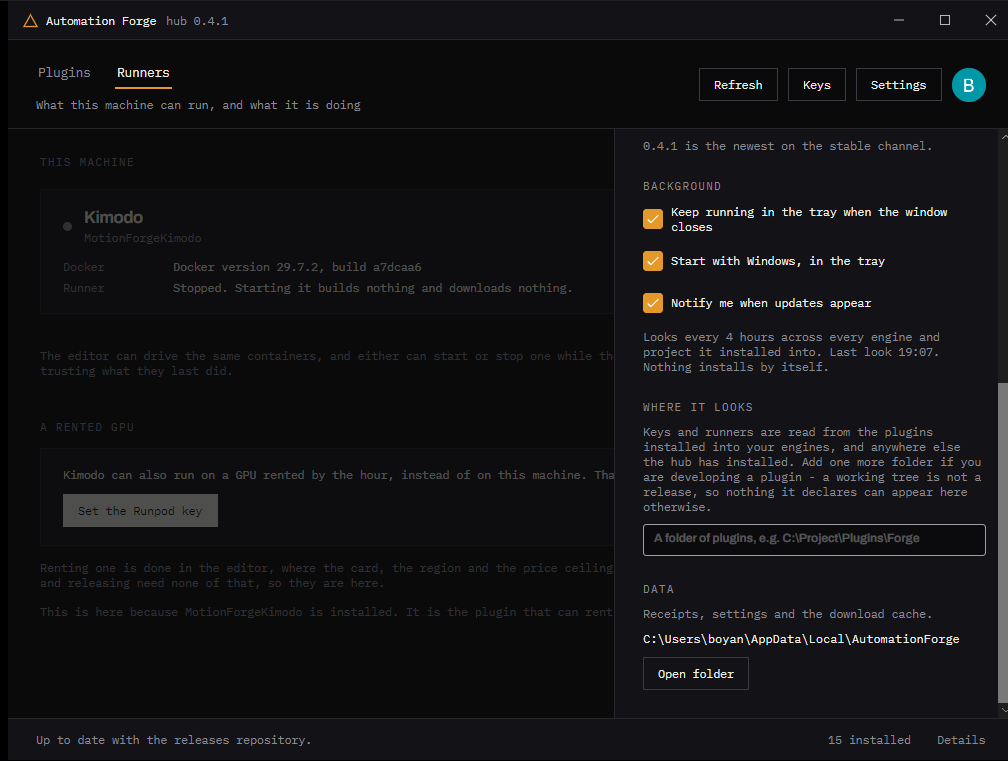
Settings (%LOCALAPPDATA%\AutomationForge\settings.json): channel, start
with Windows, keep running in the tray, notifications, and one extra folder of
plugins to look at.
How the hub knows what a plugin needs
The hub cannot ask a plugin anything. It is a separate process that may be running with no editor open at all.
So a plugin declares what it needs from the machine, in
Config/ForgeMachine.json, and the hub reads it. Nothing is hard-coded — a
plugin written next year needs no change to the hub.
{
  "keys": [
    {
      "id": "MotionForge.Uthana",
      "displayName": "Uthana",
      "owner": "MotionForge",
      "purpose": "Motion generation through Uthana. Without it this provider cannot be used.",
      "optional": false,
      "vaultEntry": "MotionForge/Uthana",
      "environmentVariable": "MOTIONFORGE_UTHANA_KEY"
    }
  ],
  "runners": [
    {
      "id": "Kimodo",
      "displayName": "Kimodo",
      "compose": "Runner/docker-compose.yml",
      "composeProject": "runner",
      "service": "runner",
      "health": "http://127.0.0.1:8757/health",
      "cloud": { "provider": "runpod", "keyId": "Kimodo.Runpod", "podName": "motionforge-kimodo" }
    }
  ]
}
The keys block is exactly the static half of the editor's own key provider. The other half is closures over the plugin's credential store, which cannot cross a process boundary — so the hub reads the metadata from the file and performs the operations itself, against the same vault entry.
If a release predates 2026-09-08, its Keys and Runners pages are empty.
The engine's own BuildPlugin filter does not include Config/, so every
package published before then left ForgeMachine.json behind. Plugins now
carry a Config/FilterPlugin.ini naming it, and CI fails a build that drops
it. If you are on an older build, update.
Where it looks
Three roots:
- Every engine's
Plugins/AutomationForge. - Everywhere the hub has installed — from its own receipts, which covers project installs.
- One folder named in Settings — for whoever is writing a plugin, whose working tree is not a release and never will be one.
What stays in the editor, and why
Three things deliberately do not move into the hub, for the same reason each time: they need knowledge the hub does not have.
| Stays in the editor | Because |
|---|---|
| Creating a container | The compose file interpolates a model cache, a token and a signature only the plugin knows. The hub finds containers by the labels compose stamps on them, and starts and stops them by id — which needs none of that |
| Renting a GPU | Which card, in which region, under what price ceiling is a decision made against what a model needs. The hub lists what is rented, says what it costs, and stops or releases it |
| Testing a key | One authenticated call in the provider's own shape. Offering it in the hub would mean a second copy of every provider's authentication |
Channels
stable never sees pre-releases. nightly sees them — of the hub and of the
plugins — and on nightly whichever build is newest wins, so a stable release
published after a nightly takes over.
forge channel stable
forge channel nightly
Release notes
- AutomationForgeHub0.2.422 September 2026
- AutomationForgeHub0.2.38 September 2026
- AutomationForgeHub0.2.27 September 2026
Every version of AutomationForgeHub.
The hub shows its own What's new on update, built from the same
CHANGELOG.md these pages are generated from. One history, three places it
can be read: in the hub, here, and on the GitHub release.