The dialogue pipeline
How SpeechForge, PerformanceForge and FaceForge are one pipeline with three plugins in it.
Voice, performance capture and facial animation look like three products. In use they are one pipeline, and the thing that makes them one is a single string: the line id.
The scene this page is written from
Every capture below is one real scene in one project, not a mock-up. It is small enough to hold in your head and awkward enough to be honest:
| Lines | 7 |
| Speakers | 4 — three NPCs and the player |
| Character standards | 2 — MetaHuman, and a Character Creator 5 astronaut |
| Recorded performances | 2, with video |
| Languages | English, plus a German sibling |
| Source | A Narrative Pro dialogue, harvested |
Those numbers are what the arithmetic on the screenshots refers to. When the Perform page says "covers 5 of 7 line(s)", five and seven are these.
The five pages are the five steps
The Speech Library is one window with a page per step, and the steps run left to right.
Ingest — where the words come from
A bank does not have to own its script. This one reads a Narrative Pro dialogue, and keeps its own record of when it last read it.
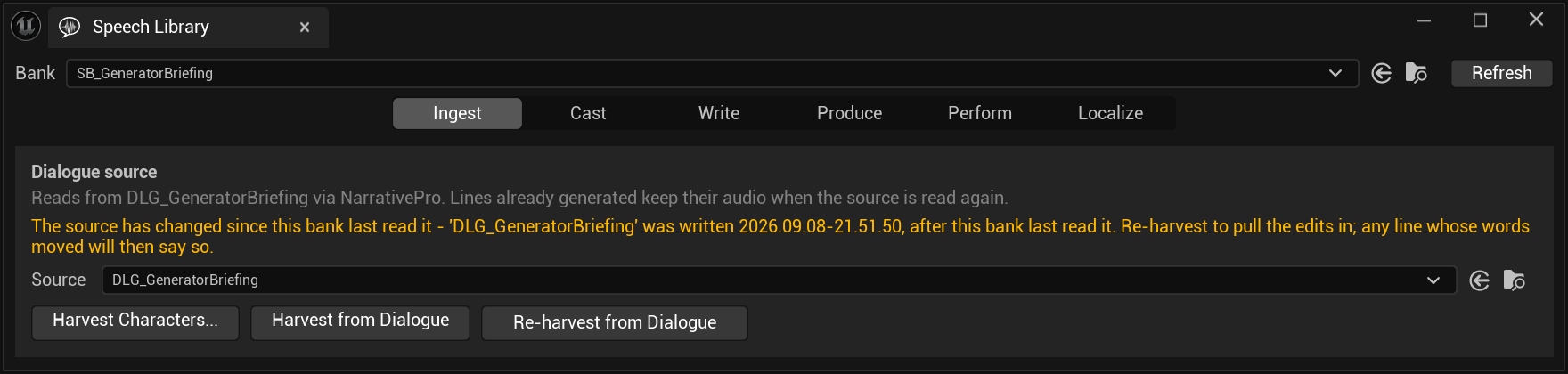
Read the second sentence of that warning: "any line whose words moved will then say so." Re-harvesting does not silently re-generate. It marks the lines whose text actually changed and leaves the rest alone — which is why "Lines already generated keep their audio when the source is read again" is safe to promise.
Cast — who is speaking
Speakers and voice profiles, side by side with the vendor's own voice library.
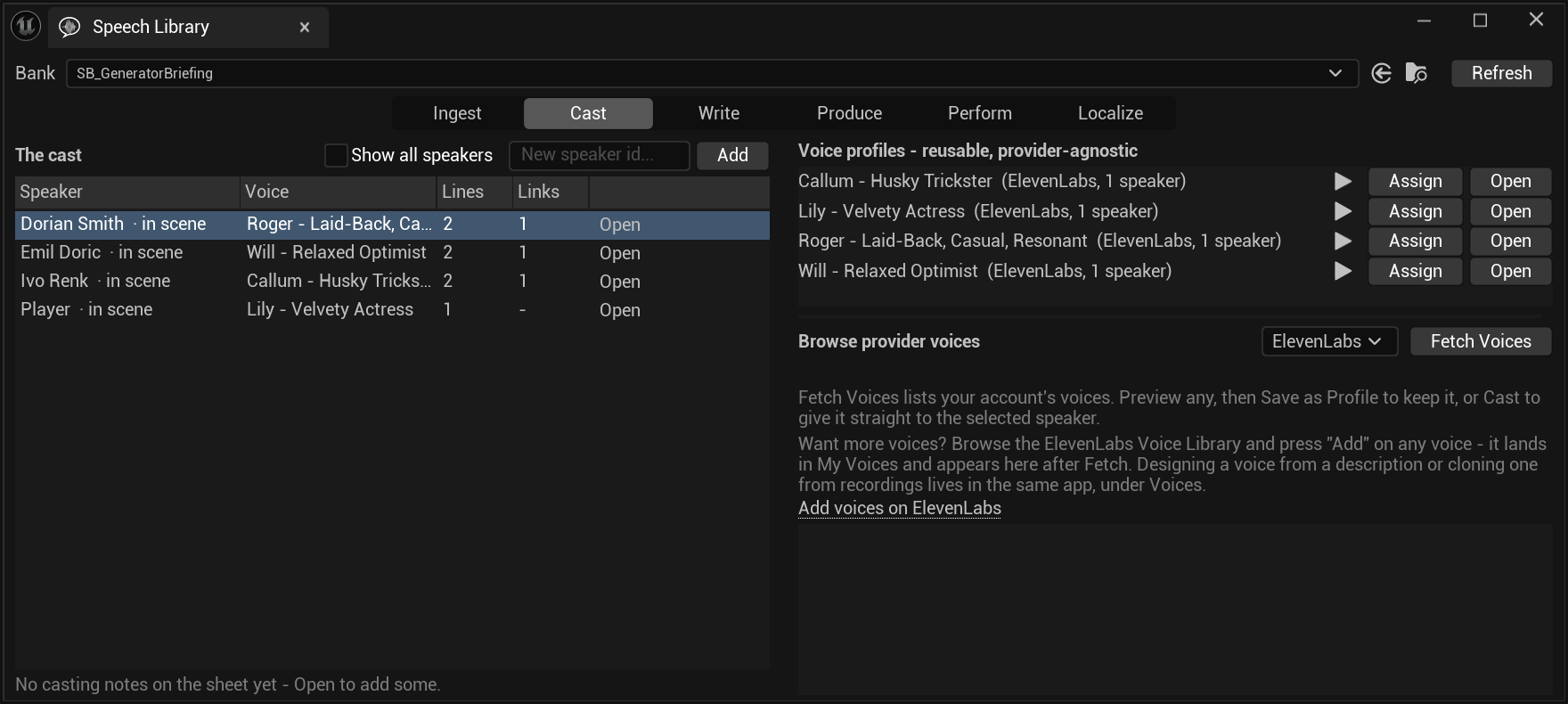
See casting.
Write — the lines
Text, direction, speaker and a per-line voice override, in a table.
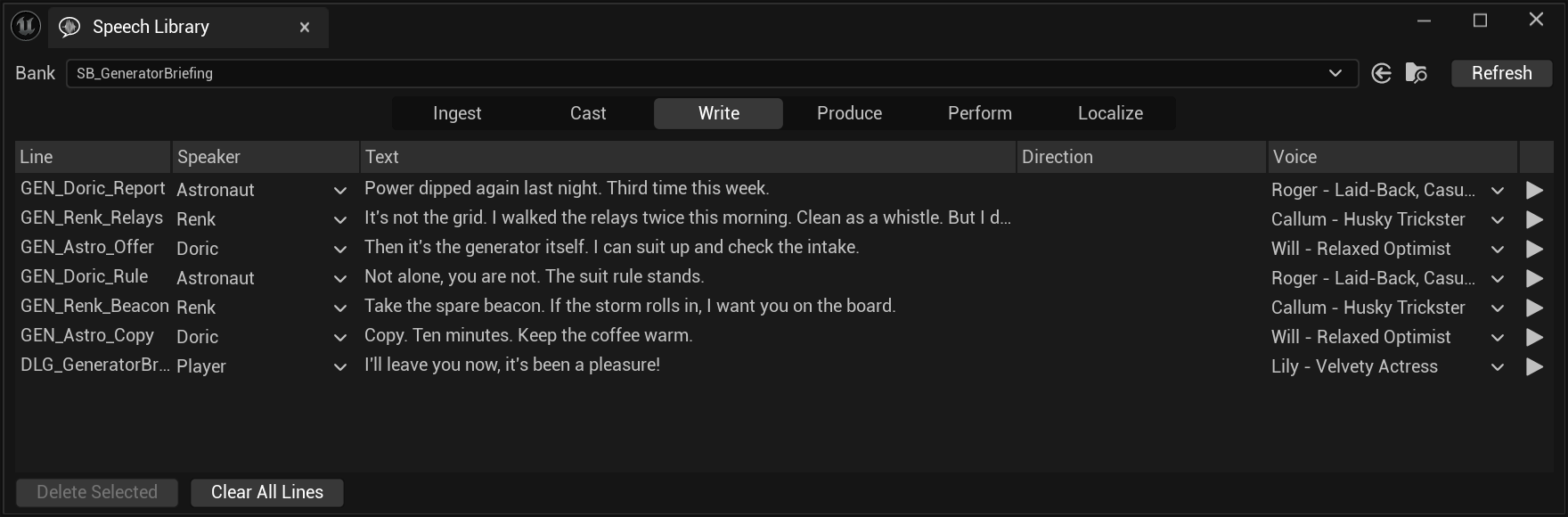
That mismatch is a warning, not a feature. The ids here were generated before the casting settled, and they stuck — because renaming an id orphans its audio. Decide the scheme before you generate at volume, or live with ids that read like a previous draft of the scene.
Produce — what it costs, then what it made
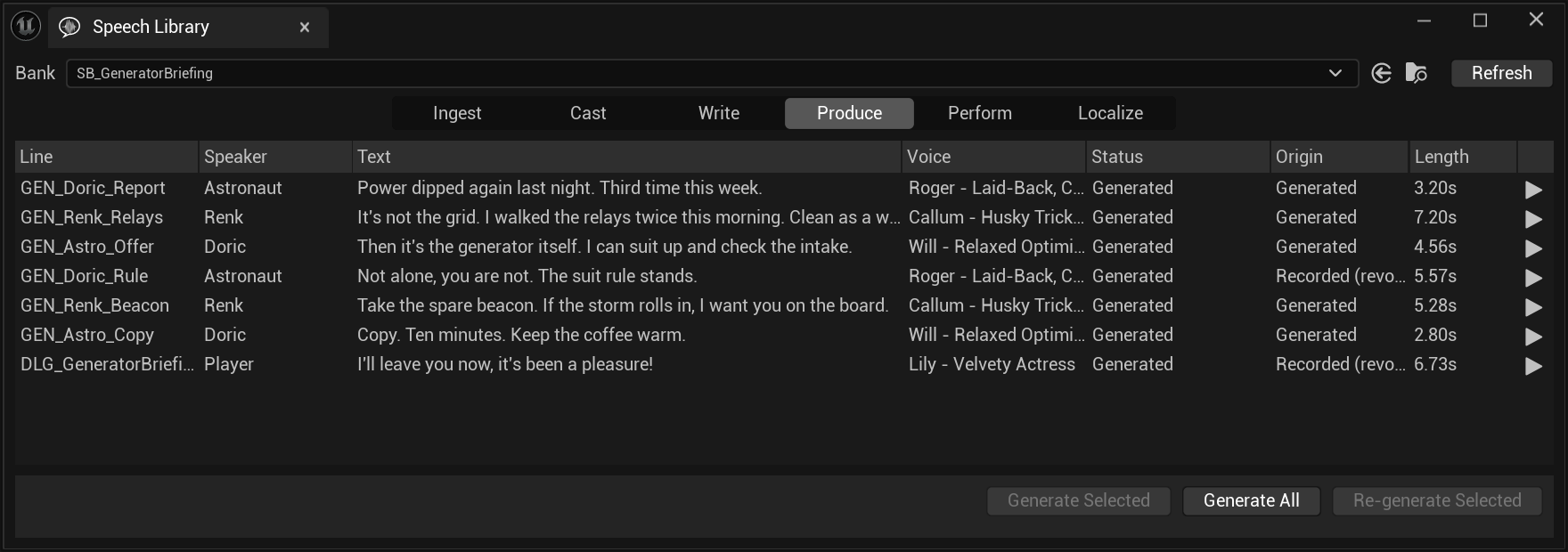
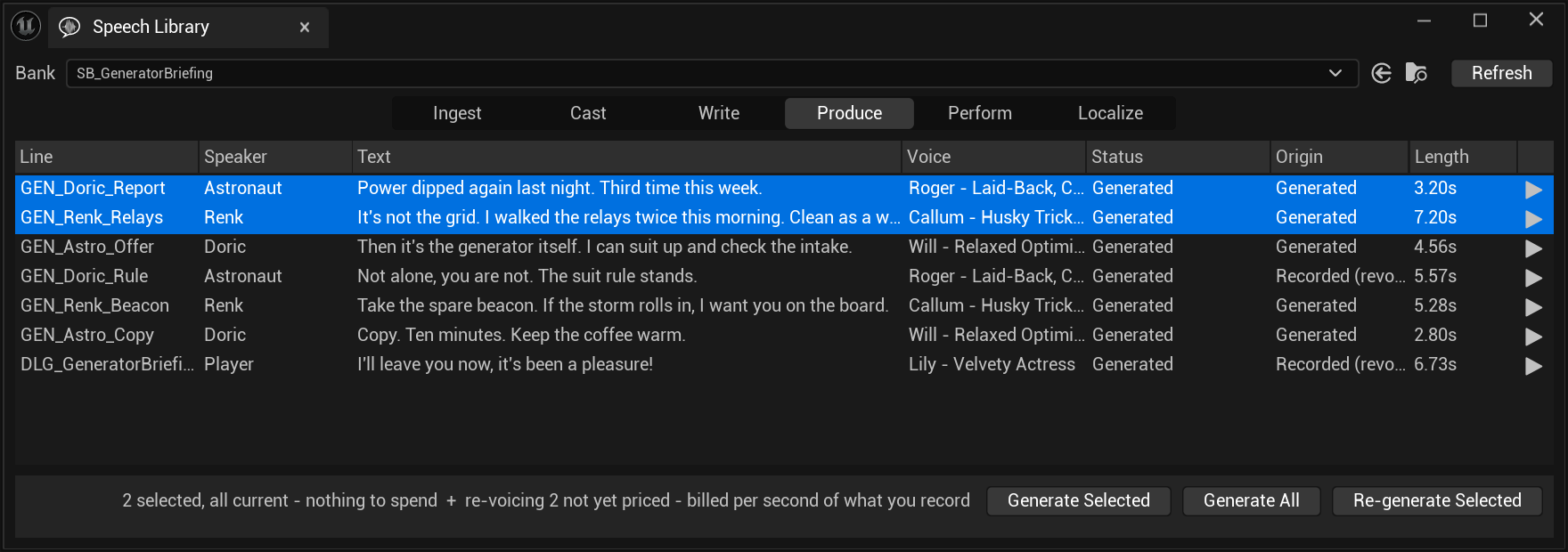
Selecting lines prices them, and the estimate refuses to invent a number it cannot know:
Perform — where the three plugins meet
This is the page that makes them one pipeline.
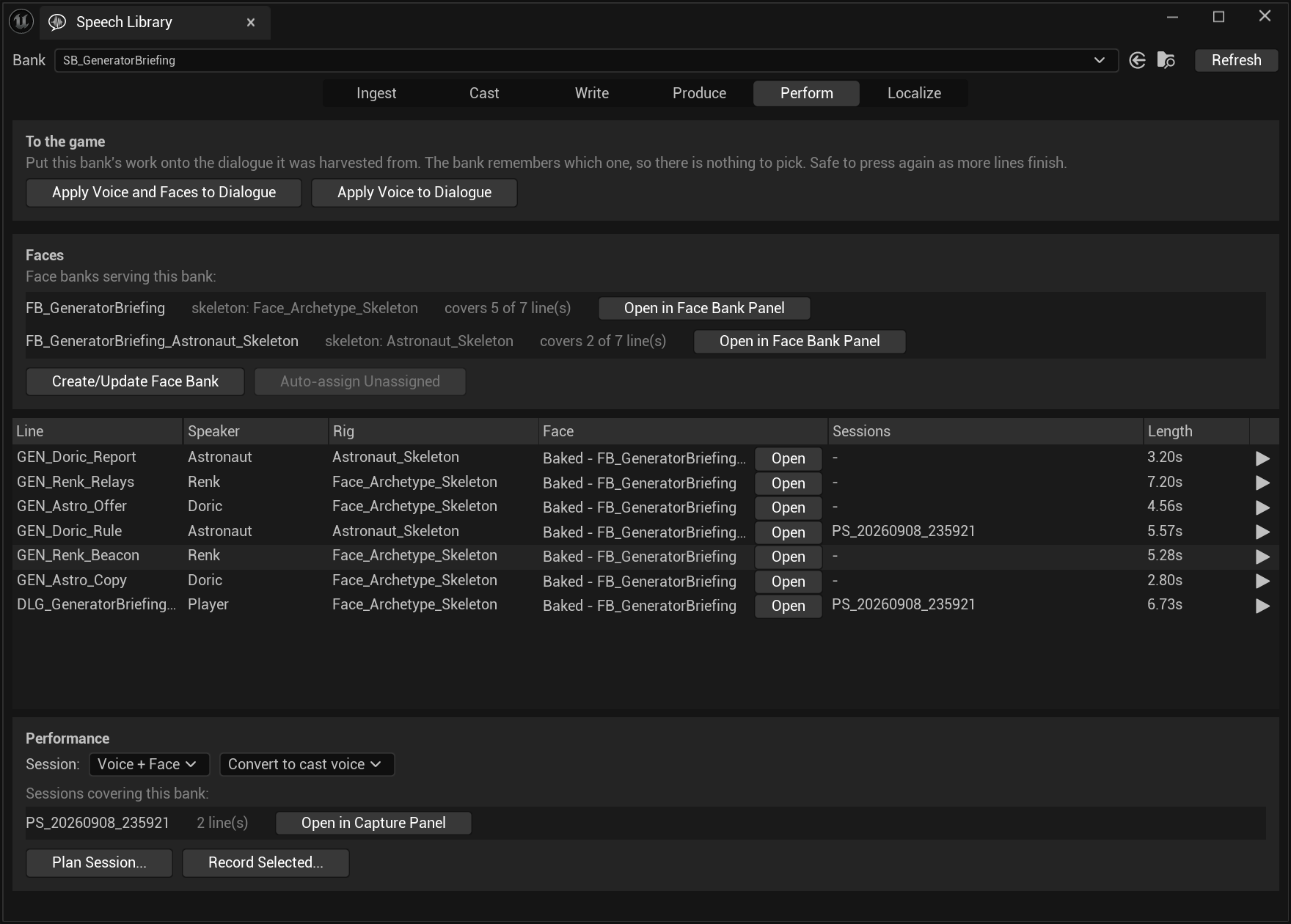
Two face banks for one scene is the normal case, not an edge case. A face bank is one character standard — one skeleton, one mapping, one montage slot — so a scene with a MetaHuman and a Character Creator character in it has two, and 5 + 2 = 7 is the page checking its own arithmetic in front of you.
The buttons on this page arrive by reflection. SpeechForge does not link FaceForge, PerformanceForge or Narrative Pro, and a project without one of them simply sees fewer buttons.
A sixth page, Localize, is a sibling of the whole scene rather than a step in it — see localisation.
What it looks like when it has worked
Everything above is a panel. This is the only thing that matters:
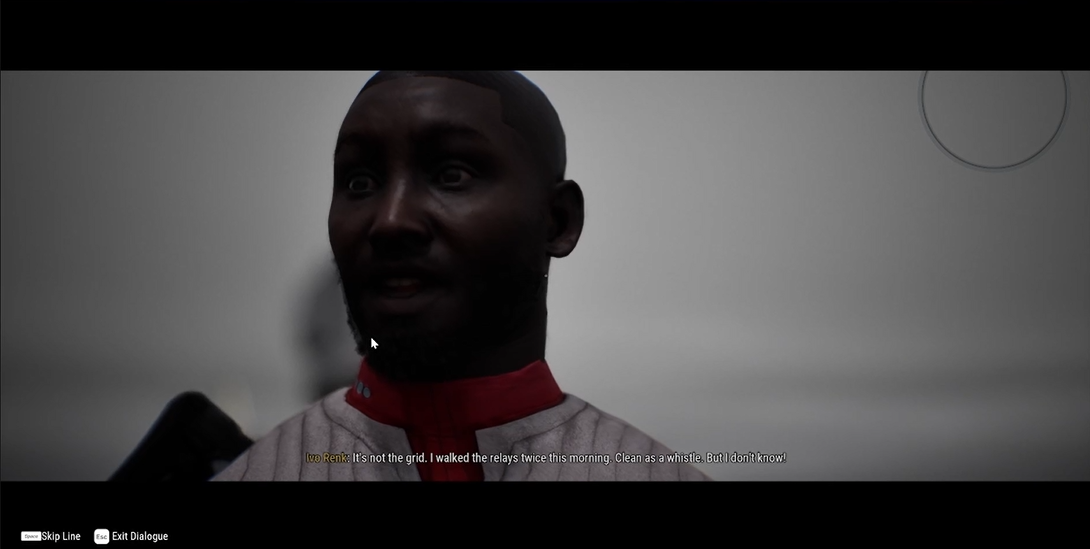
Nothing in that frame was assembled by hand. The subtitle is the line's text, the audio is its take, and the face is the clip whose id is the line id — which is why they cannot drift apart. Apply Voice and Faces to Dialogue put all three onto the dialogue node in one press, and it is safe to press again as more lines finish.
What each plugin actually owns
The division is sharper than the panels suggest, because the panels deliberately hide the seams.
| Plugin | Owns | Never knows about |
|---|---|---|
| SpeechForge | Speakers, lines, takes, voice resolution, the Library window | Faces, video, dialogue trees |
| PerformanceForge | Capture, sessions, take folders, the ledger | Solving, conversion, montages |
| FaceForge | Solving audio to curves, vocabularies, baking, correction | Where the audio came from |
Each reaches the others by name through the toolset registry, never by linking. That is why the finisher after a recorded take — convert the voice, apply it to the line, solve the video into a face layer, merge, bake — works with any subset of them installed, and reports a missing step with a reason rather than failing to load.
The line id is the whole joint
Four different things key off the same string, which is why it must be decided before volume and never renamed afterwards:
- The face clip id is the speech line id. That is how the Perform page knows which face belongs to which line.
- The localised line keeps it.
SB_GeneratorBriefing_DEhas the same seven ids, in German. - The staleness hash and the dialogue node lookup both use it.
- A take folder is named after it —
PF_Player_DLG_GeneratorBriefing_Player_IllLeaveYouNow_20260909_000321is a slate, a line id and a timestamp.
A localised sibling shares every line id on purpose, which means matching on ids alone would offer an English mouth for German words. Anything asking "which faces serve these lines" therefore matches on language first, ids second.
Where to go next
SpeechForge
Cast, write, generate, and the timing data that comes back with the audio.
PerformanceForge
The capture stage, the teleprompter, and the take ledger. Paid.
FaceForge
Audio to curves, curves to a character, and a correction that survives a re-solve.
Localisation
A bank per language, faces cloned beside it, and dubbing rather than re-synthesis.
The same route, driven by agents
A quest authored, narrated, cast and given faces through the toolsets rather than the panels.