Casting
Speakers, voice profiles, and the Cast page.
Two assets, and the distinction between them is the whole model.
| What it is | Analogy | |
|---|---|---|
Speaker (SP_) | The character sheet — who is speaking | The role |
Voice Profile (VP_) | The instrument — provider, preset, model, settings | The performer |
A speaker references a voice profile. Several speakers can share one; a speaker can be recast by pointing at a different one, and every line that speaker owns follows.
The speaker sheet
Four sections, and the third one does more work than its size suggests.
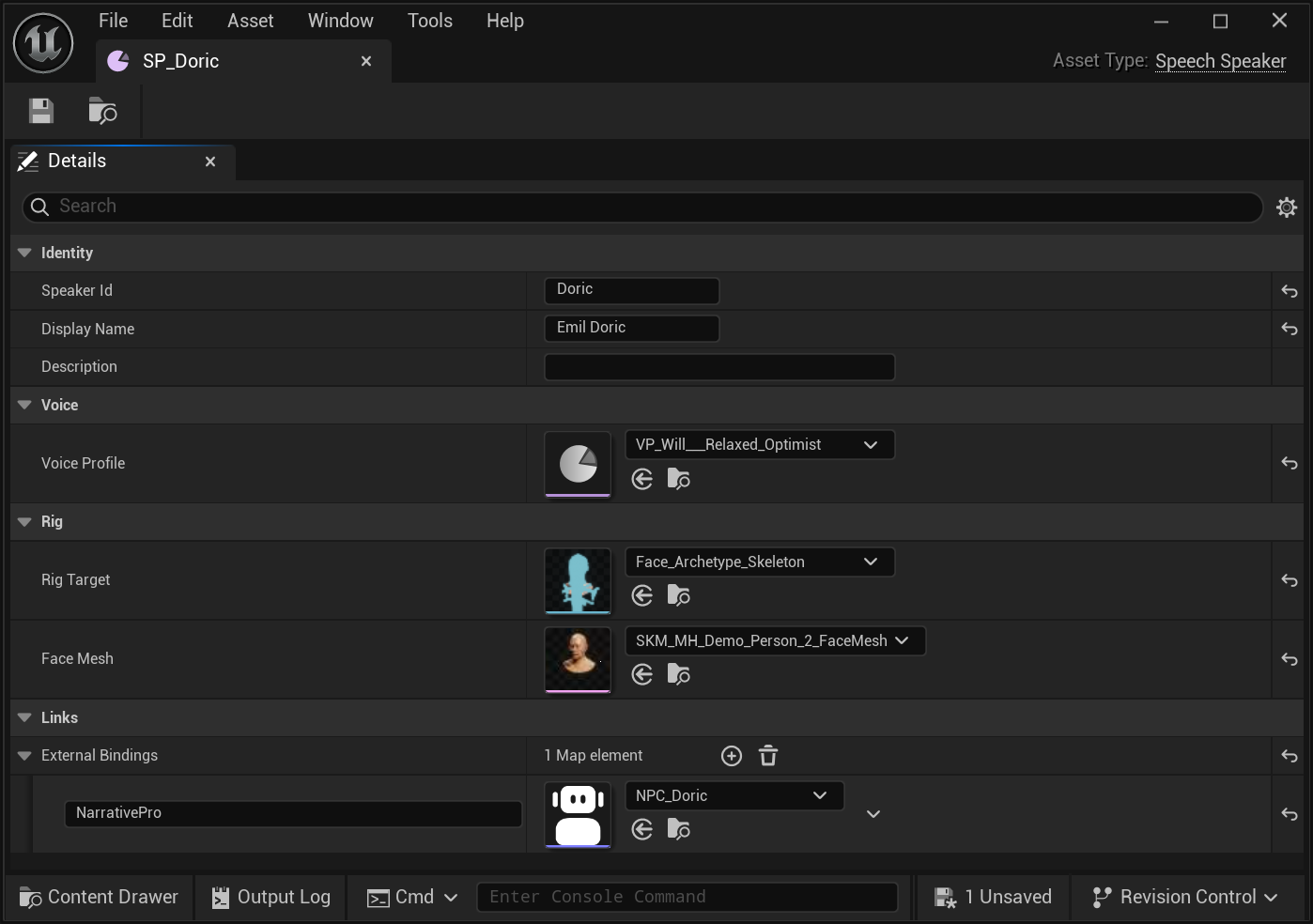
| Section | Field | What it decides |
|---|---|---|
| Identity | SpeakerId | The handle. Searchable in the asset registry, so resolution is a tag lookup rather than a scan |
DisplayName | What a person reads | |
Description | Casting notes. Genuinely used — this is what a director reads when choosing a voice | |
| Voice | VoiceProfile | The reference to an instrument |
| Rig | RigTarget | The skeleton this character's face is animated on |
FaceMesh | The head itself — used for preview and for coverage checking | |
| Links | ExternalBindings | A map from a framework name to an asset path |
The Rig section is why a scene with two character standards sorts itself out. The Perform page prints a Rig per line and routes each to the face bank that bakes against that skeleton — and it knows which is which because the speaker sheet said so. Nobody assigns lines to face banks by hand.
In this scene the routing is exact: SP_Astronaut names
Astronaut_Skeleton, the other three name Face_Archetype_Skeleton, and the
Perform page's Rig column prints those two values against the right lines.
The Face Mesh is read separately — it is what the Face Bank panel previews on, and what coverage checking measures against.
External bindings let a speaker point at your dialogue system's own character
definition without SpeechForge knowing what that is: the key is a
framework name you choose, the value is any asset path. In the capture above,
NarrativePro → NPC_Doric is what the Cast page's Links column counts.
The set of speaker assets is the cast list. There is no separate list, so there is nothing to fall out of step.
The voice profile
Display name, the provider's own voice name (cached), and the provider/preset/model/settings/provenance.
Caching the provider's voice name is worth noting: it means the Cast page can show you what a profile actually points at without a network call every time you open it.
The Cast page
Three things side by side.
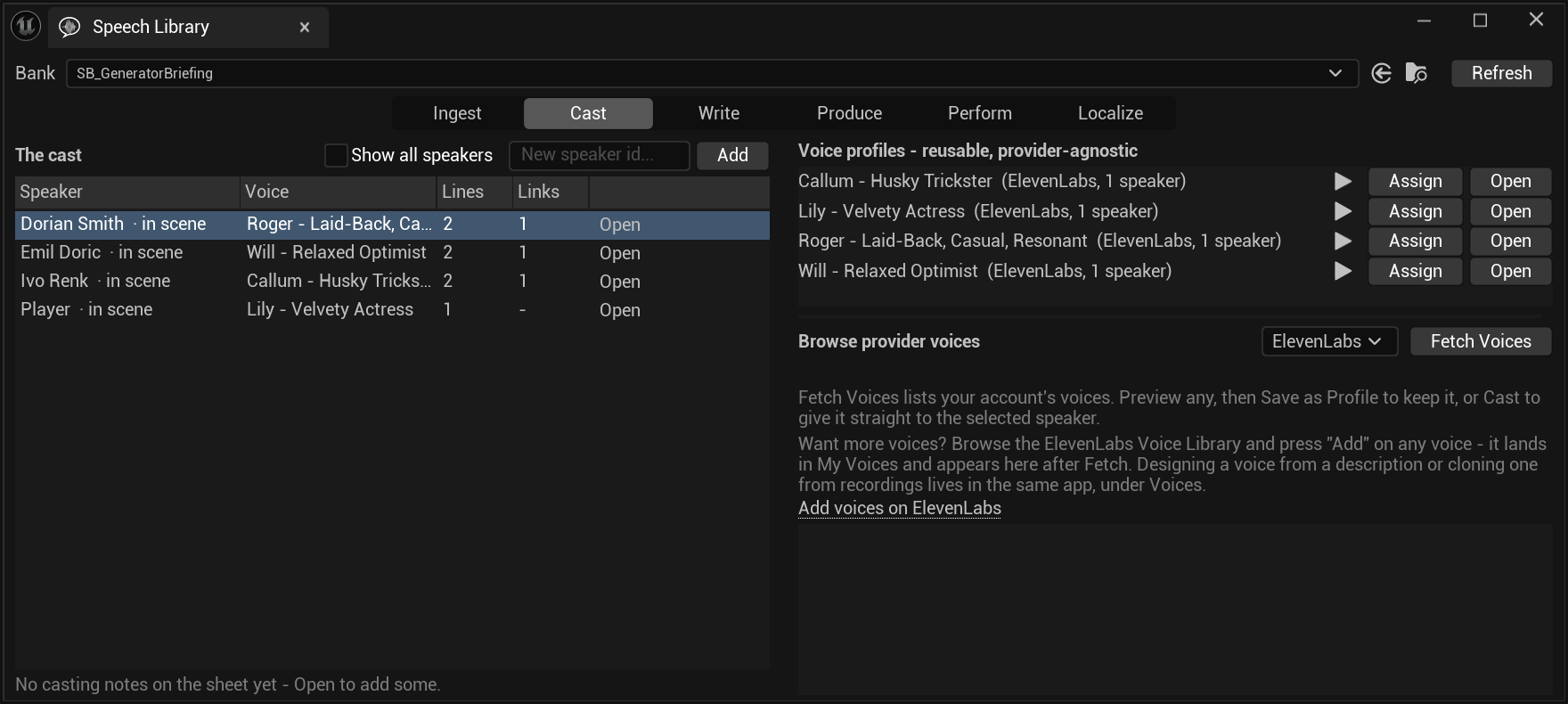
- The cast list — sorted by who appears in the scene, with create sheet offered for any speaker id that lines reference but no sheet exists for. · in scene marks a speaker this bank's lines actually reference; Show all speakers widens it to every sheet in the project.
- The profiles — each with used by, and Assign.
- A provider browser — the vendor's own voice library, with Save as Profile and Cast in one step.
That last one is the path most people take: find a voice you like in the vendor's library, and cast it onto a speaker in one action rather than creating a profile, naming it, and then assigning it.
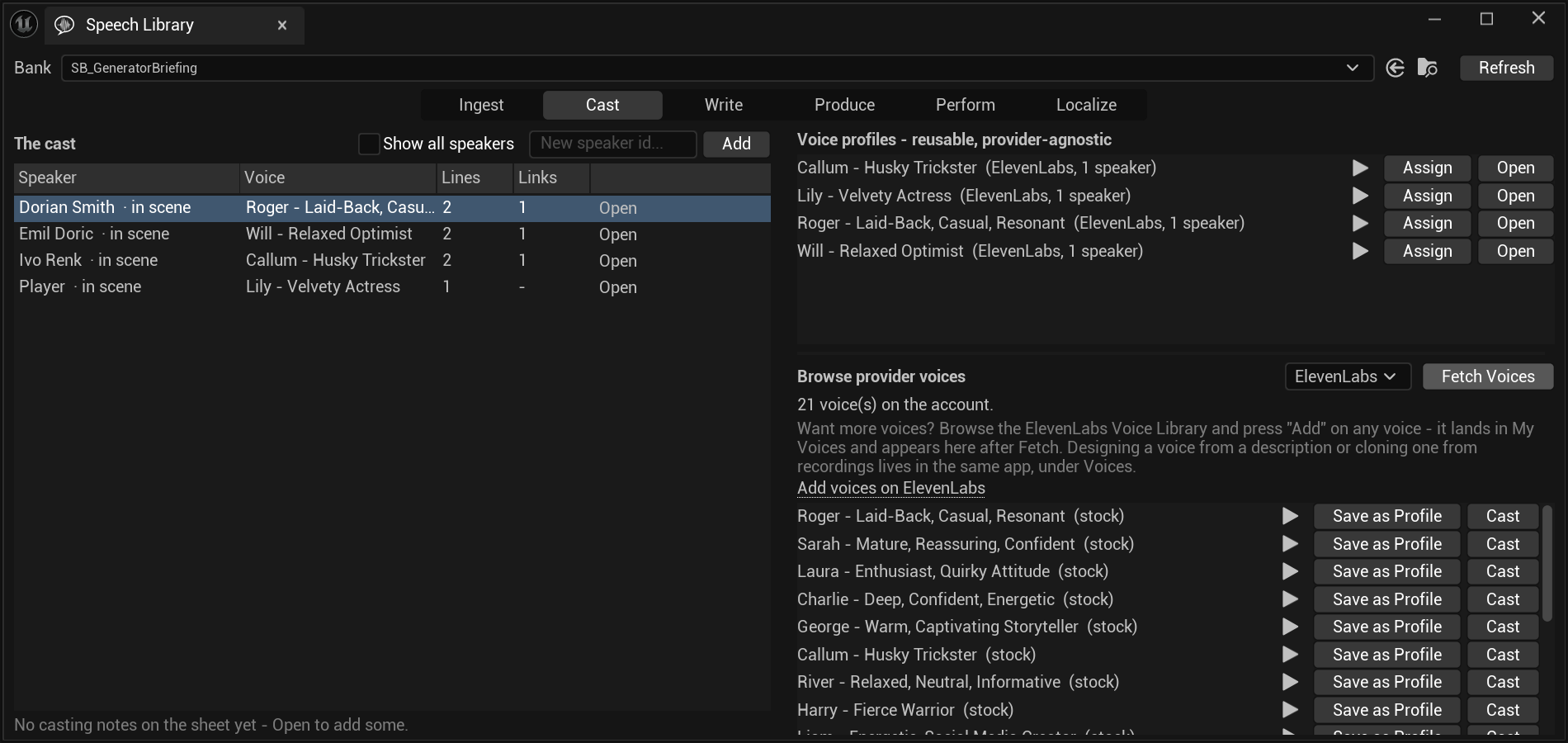
Two buttons, and the difference is whether you will use the voice twice.
Save as Profile creates a VP_ asset you can assign to several speakers
and recast later in one place. Cast skips that and gives the voice to the
selected speaker directly.
Prefer the profile for anyone with more than a line or two — recasting a profile moves every speaker that references it, and recasting a speaker moves only that speaker.
Adapters seed sheets
An adapter for a dialogue framework does not resolve voices — it creates or updates speaker sheets and sets the binding.
Empty fields never clobber a cast voice. An adapter re-harvesting a dialogue will not blank a voice somebody chose, because a field it has no opinion about is left alone rather than written as empty.
This matters because harvesting tends to be re-run, and the first version that overwrites a director's casting is the last version anyone runs.
One concrete trap from the Narrative Pro adapter: an authoring template's speaker array is routinely empty, so the harvest reads speakers off the dialogue's class defaults instead.
Per-line overrides
A line can override its speaker's voice. It is the first step of the resolution walk, and the result says so.
Use it for the line where a character whispers, shouts, or is heard through a radio — not as a substitute for casting.