Correction
An animator's fix that survives the solve being re-run underneath it.
The usual bargain with a generated face is: accept it, or fix it and give up regenerating. FaceForge does not make you take that bargain.
The round trip
Create the correction sequence
CreateFaceCorrectionSequence — or Correct in Sequencer on the Face Bank
panel — builds a Level Sequence with:
- the character's face mesh and the clip's audio,
- the merged solve keyed on an absolute base section, and
- an empty additive section on top.
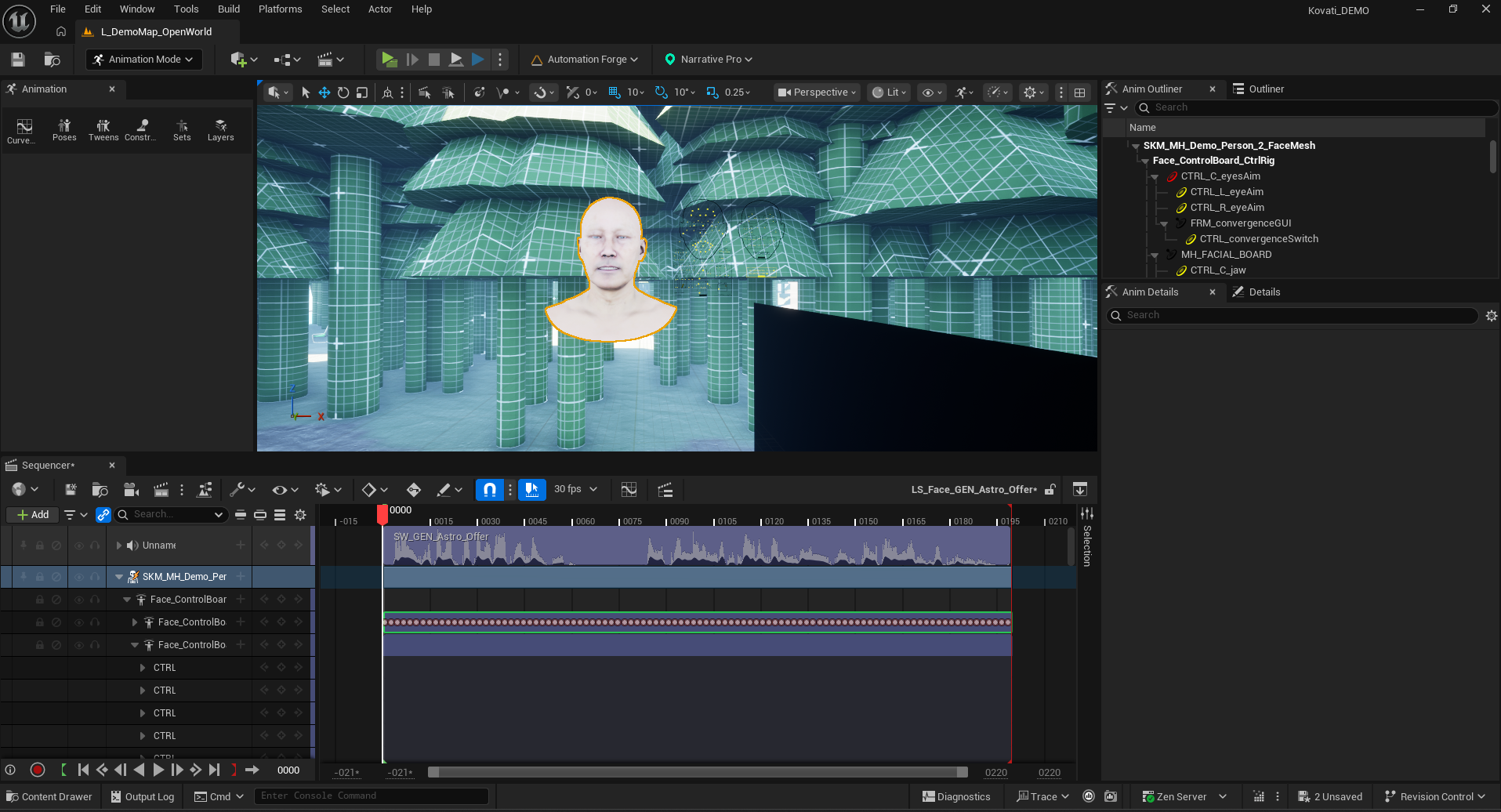
The two stacked sections are the whole mechanism:
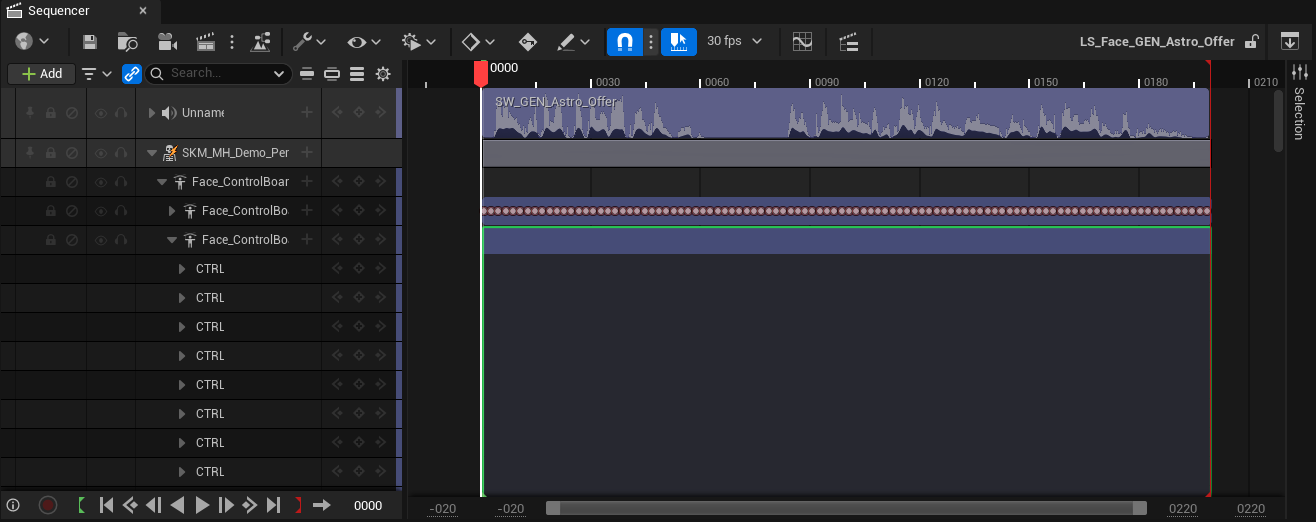
The animator keys the additive section only
Normal Sequencer work. The base sits underneath, read-only.
Snapshot it back
SnapshotFaceCorrection reads the additive section back as offsets into a
Corrective layer on the clip.
Because the fix is stored as offsets in a layer rather than as edited curves, the base solve can be re-run underneath it without discarding the hand work.
Verified live, frame-exact.
Why this is the interesting one
Every other part of this family protects hand-authored work by stopping — graduation means automation lets go of the asset entirely.
That is the right default, and it has a cost: a graduated asset stops benefiting from improvements to the generator.
The correction layer is the narrow case where you get both. The animator's intent is expressed as a difference, so a better base solve arrives underneath it and the difference still means what it meant.
This only works because the correction is genuinely additive. An animator who rebuilds a curve absolutely, rather than offsetting it, has authored a new solve — and that graduates, correctly.
It needs the board vocabulary
The correction round trip only works on a clip solved in the MetaHuman face-board vocabulary, because the sequence it builds is that board. The Face Bank panel greys Correct in Sequencer out otherwise and says so in its tooltip.
In practice that means an audio solve can be corrected this way and a video solve cannot — not because the character is wrong, but because its curves are in a different control set. The two clips in the same bank behave differently, which looks arbitrary until you know what the button is actually asking for.
Corrective as a layer
The Corrective layer is an ordinary
layer: it participates in the merge
recipe, carries a weight, and can be removed.
So a correction can be dialled back rather than only kept or discarded — which is useful when a fix made for one delivery is nearly right for another.
When a dub arrives
A dubbed line's face copies the performance's layers under the dubbed mouth, rather than solving from audio alone.
That is the same principle: the acting captured in the original performance is layered content, so it survives the mouth underneath it being replaced. See localisation.